
Booking Form
Bookings Secretary
Phone: Email enquiries only
Email: northcourtcentrebookings@gmail.com
Please use the booking form below to book the Northcourt Centre for your event. Alternatively you can contact the Bookings Secretary by direct e-mail as above.
We will get back to you as soon as possible, normally within 48 hours, our mailbox is normally monitored every other day, but if for any reason the bookings Secretary is away you may need to wait several days for a reply - please be patient.
Check Availability and booking request
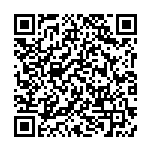
Please scan QR Code:
Booking the Hall
To book the Hall use the QR Code which gives you the link to the Hallmaster online real-time booking system and click on the + on your required date to make a booking request. Your booking should include time to set up and clear up. With Hallmaster, if you are making a booking request for the first time, you will be asked to enter your contact details and a password. Once you have verified your email, you can look at the status of your booking and also receive responses. Once completed, press save and your request will be sent to the Hall. At this stage the booking is REQUESTED and NOT CONFIRMED. You will then receive an email approving your booking along with an invoice. Your booking will then appear on the Hallmaster schedule.
PLEASE READ THE REGULATIONS & AGREEMENT/EMERGENCY EVACUATION PROCEDURE AND HIRERS CHECKLIST CAREFULLY BEFORE MAKING A BOOKING.
ALL BOOKINGS ARE MADE SUBJECT TO ACCEPTING THESE TERMS AND CONDITIONS
IF PREFERRED COMPLETE AND SUBMIT THE BOOKING FORM ON THIS PAGE